
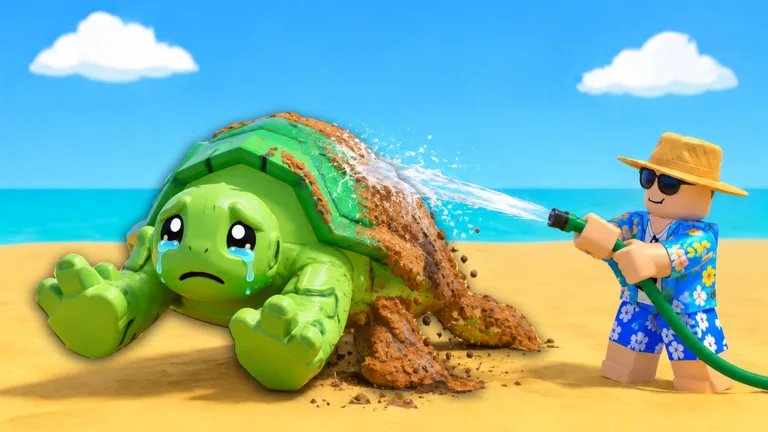
Bring a clean pet to Add to Tank
Finish washing the rescued animal, take it to your tank, and use Add to Tank beside the display. The shown keyboard interaction reads E / Add to Tank. Surf And Rescue tank placement is the step that follows cleaning; Edit Tank, Upgrade Tank, and Sell Pets are separate controls.
Start with the animal you are carrying. If it is still dirty, return to the cleaning station and finish that task. If it is clean, approach the tank and read the placement prompt rather than opening the nearest purchase offer.
Check readiness before placing the pet
The introductory loop moves from a dirty animal to washing, then toward the tank. Use the cleaning completion state to decide when to leave the washing interface. Wait for the wash to finish before switching to aquarium management.
Once you reach the display, look specifically for Add to Tank. Follow the input shown on your device. The visible E keyboard prompt identifies that interaction, but it should not become a guessed touch-screen or controller instruction.
If the interface presents a new requirement, read that message before choosing another control. If you cannot find the placement prompt, look around the display for Add to Tank before opening Upgrade Tank. Locating the correct interaction comes first.
Use Edit Tank to inspect pet cards
After placement, Edit Tank is the relevant menu for inspecting the animals associated with the tank. The September 2026 menu includes pet cards, with two Small Turtle / Common / 0.7/s cards visible in one setup.
Read the card fields separately. The pet name identifies the animal, Common is its rarity label, and 0.7/s is the rate shown for that example. Use those fields to recognize your cards, then read each turtle’s own value rather than assigning it the example’s rate.
| Field or control | What it helps you inspect | Keep it separate from |
|---|---|---|
| Add to Tank | Placement of the clean animal | Buying a structural upgrade |
| Edit Tank | The tank’s pet-card menu | The shoreline selling interaction |
| Pet name | Which animal the card represents | An assumed rank based on appearance |
| Rarity label | The card’s displayed classification | A guaranteed income formula |
| Rate per second | The value displayed for that pet | The tank’s separate total-looking label |
Use the controls actually present in your menu when managing the display. A pet card does not by itself establish a removal button, an automatic sorting rule, or an undo function.
Distinguish placement from expansion and selling
Upgrade Tank opens a structural offer. It is the place to inspect a tank development purchase, not the same action as adding your carried clean animal. Use the tank upgrades guide for that decision.
The SELL stall at the shoreline presents Sell Pets. For building your display, return to Add to Tank instead of choosing a sale. If you want to compare your animals before choosing a sale, use the pet income guide.
For Surf And Rescue tank placement, wash the pet, find Add to Tank, then inspect its card in the menu. Expand or sell only when those are the tasks you intend to perform.
Confirm the result before leaving again
Look at the tank and its pet-card menu after using the placement interaction. Check the animal’s name so that you know which pet you have just added. Then return to rescuing with a clear understanding of where the clean pet belongs.
If you need to revisit the preceding step, pet cleaning explains the progress display. Keep the tank decision focused on the completed animal rather than repeating the entire rescue outing.
FAQ
Where do I place a clean pet?
Take it to your tank and look for Add to Tank. The displayed keyboard interface uses E for that interaction.
Is Edit Tank the same as Add to Tank?
No. Add to Tank is the placement prompt; Edit Tank opens a menu with pet cards to inspect.
Do I have to clean the animal first?
Follow the rescue loop through cleaning before bringing the animal to the placement interaction. Check the wash’s completion state.
What does a Small Turtle card show?
One September 2026 example shows the name, Common, and 0.7/s. Read your own card for its current fields and value.
Does Upgrade Tank place my carried pet?
Treat it as a separate structural offer. Use Add to Tank when your task is placing the clean animal.