
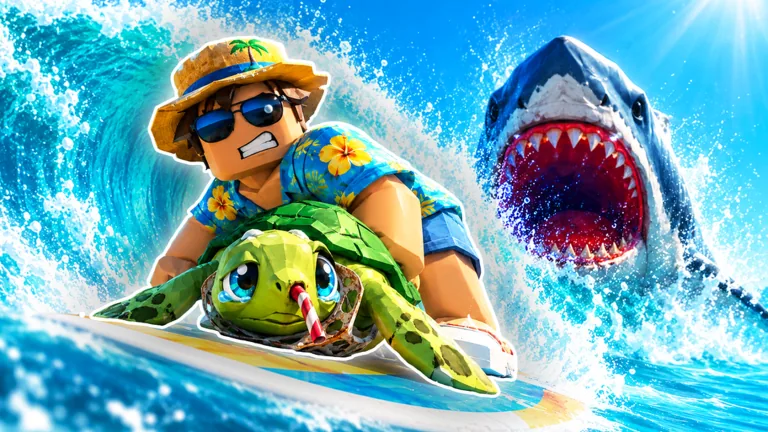
Complete one rescue before shopping
Start by rescuing a dirty sea pet, bringing it to your home cleaning station, washing it, and adding the clean animal to your tank. That short loop introduces the systems you will use throughout Surf And Rescue. Finish it before browsing every upgrade: you need to know whether your next problem is carrying, cleaning, movement, or your tank.
The game puts several shops and stations near the beach. With everything close together, it helps to learn what each station does. A board changes movement; a shovel helps uncover pets; a hose belongs to cleaning. Buying one does not replace the others.
This Surf And Rescue beginner guide follows the introductory loop and the menu labels used in September 2026. Check the current offer panel whenever you spend currency, because prices and requirements depend on the offer you open.
Find a pet and return with it
Follow the opening Save the Animal task. Look for a dirt-covered animal on the sand and use the interaction presented beside it. When you have uncovered a pet, the grab prompt is your next step. On the displayed keyboard interface, that interaction reads E / Grab.
Once you are carrying the dirty animal, the instruction becomes Take it home to clean it. Make home your next stop. Heading toward another island before learning the return path adds a second navigation problem while you are already carrying a pet.
Watch the water on the way back. A SHARK! message, red screen border, or red exclamation mark deserves your attention immediately. Keep your homeward direction clear instead of continuing to inspect distant targets.
If a shovel warning stops you before you can grab an animal, return to the equipment question rather than pressing the same interaction repeatedly. The shovel guide explains that separate limit.
Clean first, then approach the tank
At home, find the CLEANING station. The introductory setup uses a Common Hose. During washing, follow the aiming indicator and the % Clean display. A nearly full bar is still progress, so check the completion state before leaving.
The interface also contains an Auto-clean option. Read its offer before selecting it; check whether automation is enabled on your account. You can learn the active washing sequence without treating an optional purchase as part of the tutorial.
Take your clean pet to the tank. Look for Add to Tank beside the display rather than approaching a shop or the selling stall. The pet cleaning guide and tank placement guide explain these two tasks separately.
Match an upgrade to the actual obstacle
The opening sequence introduces Upgrade your Tank! after the first rescue. Use that prompt to learn where the tank offer lives, then read the panel before choosing an option. Later tank levels have their own offers, so read each new panel.
| What stops you? | Where to look | What to inspect |
|---|---|---|
| A weak-shovel warning | Shovel display | Strength on the next offer |
| Your hands are full | Backpack offer | Capacity upgrade and its currency |
| Washing takes attention | Cleaning station | Hose and Auto-Cleaner offers |
| Travel feels slow | BOARDS or TRAINING | Board speed or pool options |
| You want to develop the display | Tank | Current upgrade panel |
Choose one problem at a time. Travel speed gets you to the animal; shovel strength determines whether you can uncover it. After cleaning, you still need to place the pet in the tank yourself.
Make the second trip deliberate
Before leaving again, locate the cleaning station, tank, and shoreline in relation to each other. Select a reachable pet, keep the return direction in mind, and bring it home before extending your route.
Compare the pet’s displayed income information when you manage your collection. Use the control that matches your plan for the pet: Sell Pets opens selling, while Add to Tank places it in the display. That distinction matters more than rushing to a distant island on your second outing.
FAQ
What should I do first in Surf And Rescue?
Complete one rescue, return with the dirty animal, clean it at home, and add it to the tank. Learn that sequence before choosing optional upgrades.
Do I need to buy every nearby upgrade?
No. Start with the obstacle you actually encountered, then inspect the matching offer. The nearby stations serve different systems.
Why can I not grab a particular pet?
Read the interaction message. A weak-shovel warning calls for checking shovel strength; a full-hands message points to carrying space.
Is the selling stall where pets enter the tank?
No. Use Add to Tank at the tank for placement. The shoreline SELL stall opens the separate Sell Pets interaction.
What should I watch while carrying a pet home?
Keep your return landmarks visible and respond to the shark warning indicators. Avoid stretching an unfamiliar outing across several islands.