
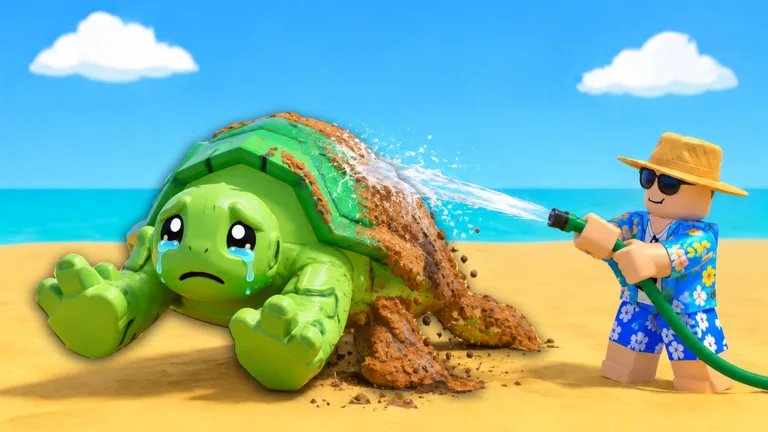
Follow the cleaning bar until the wash is complete
Bring your dirty sea pet to the home CLEANING station, use the washing interaction, and follow the % Clean display until you reach the completed state. Surf And Rescue pet cleaning comes after the return trip. The animal arrives home dirty and needs a wash before you take it to the tank.
Keep your attention on the pet and the progress indicator. Bubbles and a red aiming reticle help you follow the active washing interaction, but the percentage tells you how far you have progressed. Wait for the completion display even when the turtle already looks cleaner.
Find the cleaning station before opening upgrades
The introductory station is labeled CLEANING / Common Hose. The washing area includes the hose and a bench, with a sponge-style interaction visible during cleaning. Bring the dirty pet there rather than going straight to Edit Tank, Upgrade Tank, or the SELL booth.
Those other interfaces cannot answer the immediate question of whether your animal is clean. Start the wash first so that you understand its progress display. If you later want to change the equipment, use the separate cleaning tools guide.
You can use the station before learning every cleaning tool’s name. Washing the pet uses your current setup; an upgrade offer changes that equipment. Stay with the current washing task before comparing purchases.
Use progress to decide what to do next
During Surf And Rescue pet cleaning, keep the aiming indicator directed at the animal and watch the bar as you wash. Follow the input shown by your current interface; a mouse, touch screen, and controller should not inherit an instruction merely because another device displays it.
The cleaning interface shown in September 2026 includes a % Clean readout, Auto-clean, and EXIT. Use the completion state as your stopping point rather than deciding from the amount of dirt you can still see.
| Display or control | What to check | What to avoid |
|---|---|---|
| Aiming reticle | Where the washing interaction is directed | Watching only your character |
| Bubbles | The active washing scene | Treating animation alone as completion |
| % Clean | Your progress toward a finished wash | Leaving at a nearly full value |
| Auto-clean | Its current option or offer | Assuming it is already active |
| EXIT | Whether you have finished before leaving | Using exit as a substitute for washing |
For example, 91% Clean is still an unfinished percentage. Continue the washing task and look for completion before moving on. There is no reason to reopen the tank panel while the cleaning display still shows work remaining.
Read Auto-clean before relying on it
Auto-clean is a visible option, while an Auto-Cleaner offer also exists near the cleaning setup. Check the current panel for its requirements and currency before selecting an automation purchase. The panel will tell you whether the feature is enabled for your account.
While you wash, watch the animal and progress bar. When you open an equipment or automation offer, decide whether you want to change how later washes work. Finish understanding the manual interaction before deciding whether the offer solves a problem for you.
Move the clean pet to the tank
After completing the wash, leave the cleaning interface and take the animal to your tank. Look for Add to Tank at the display. That placement interaction differs from both tank expansion and selling a pet.
Continue with tank placement if you need help finding the correct control. If the original problem was bringing a dirty animal home, return to sea pet rescue instead of repeating the washing steps.
FAQ
Where do I clean a rescued pet?
Use the home CLEANING station. The introductory setup is labeled Common Hose and has a washing area beside it.
Does bringing a pet home finish cleaning it?
No. Carrying the animal home completes the return trip. You still need to perform the cleaning interaction at the station.
Should I stop at 91% Clean?
No. That is an unfinished progress value. Continue until the cleaning interface indicates completion.
Is Auto-clean automatically free and enabled?
Check the option or offer in your current interface. The displayed button does not establish either its cost or your access to it.
What comes after pet cleaning?
Take the clean animal to the tank and use Add to Tank. Use the tank’s placement interaction rather than the selling stall.